


If you hold crypto assets for the long term, you may feel uneasy about leaving them on an exchange. One option worth considering in that case is managing your holdings with a "cold wallet."
A cold wallet is a method of managing the private key needed to send crypto assets by keeping it disconnected from the internet. A common example is a hardware wallet, which uses a dedicated physical device. A paper wallet, which records a private key and related information on paper, is also sometimes treated as a type of cold wallet.
The crypto assets themselves are not physically stored inside the device or on the paper; rather, a cold wallet is a mechanism for managing the private key used to move assets recorded on the blockchain. There are several types of cold wallets, but hardware wallets using dedicated devices are the most widely used today.
This article focuses on hardware wallets and explains the basics of using a cold wallet. Note that the exact screens and settings vary by product, so be sure to check the manufacturer's official support resources when using one in practice.
What to Prepare Before Using a Hardware Wallet
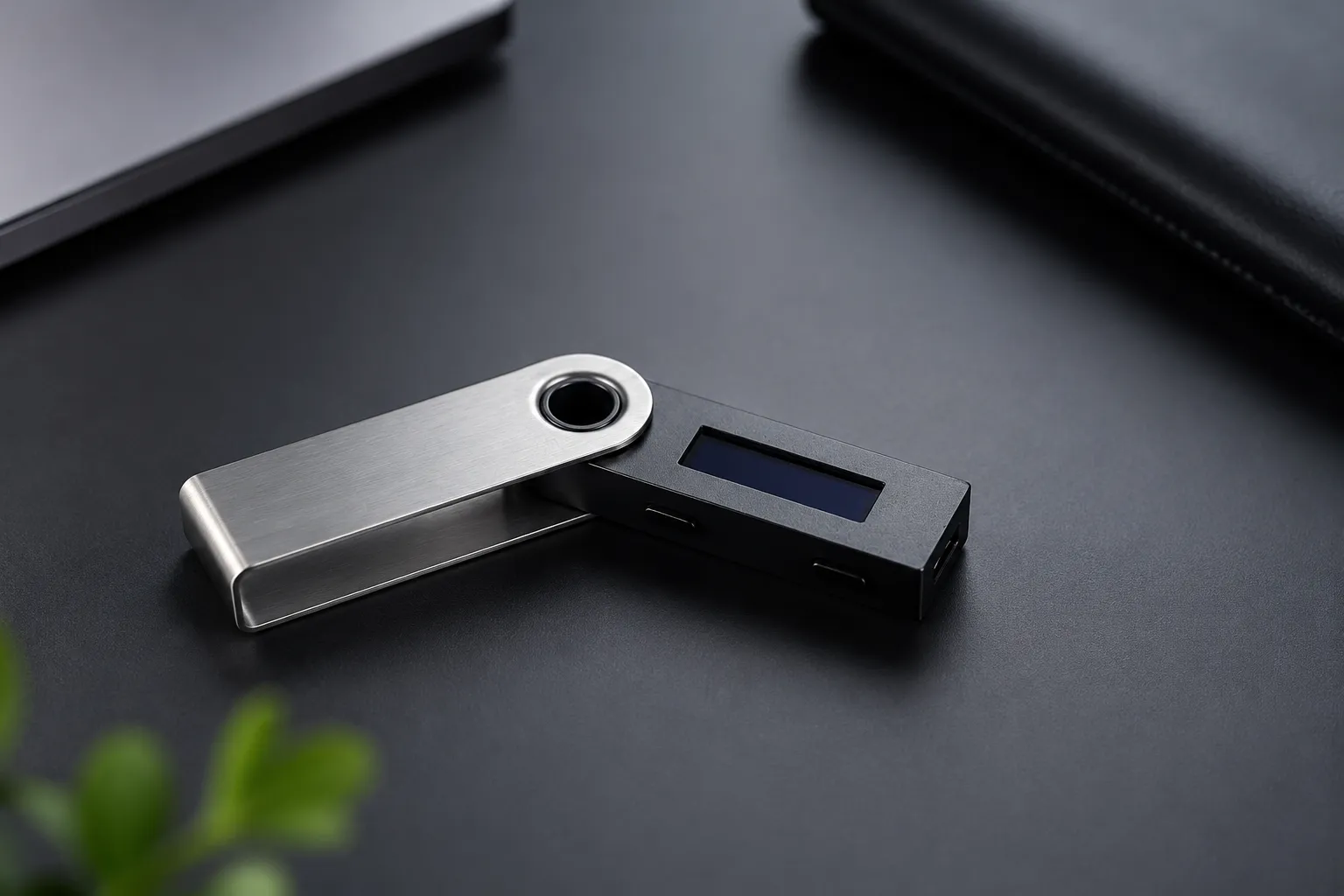
To use a hardware wallet safely, preparation matters more than rushing to send funds right after purchasing the device. Starting to use it without adequate preparation can lead to a lost recovery phrase, a transfer mistake, and ultimately the loss of your assets.
Here's what you should confirm before you start using a hardware wallet.
Obtain a Genuine Hardware Wallet
When using a hardware wallet, it's important to purchase it from the manufacturer's official website or an authorized retailer. Well-known manufacturers include Ledger and Trezor, both of which have operated for many years and can be purchased through their official websites or authorized retailers.
As a rule, you should not use a secondhand hardware wallet. It's impossible to fully rule out the possibility that a previous owner or a third party tampered with the device, and there is a risk that the recovery phrase or private key may already be known to someone else. Devices purchased through unofficial channels carry the same risk, since their safety is difficult to verify. Don't choose a purchase source based on price alone — always use the official channels recommended by the manufacturer.
If a device you purchased comes with a piece of paper that already has a recovery phrase written on it, do not use that device. Normally, a recovery phrase is something the user generates and records themselves during initial setup. If you use a pre-supplied recovery phrase, there is a risk that a third party could drain your assets, so never enter it under any circumstances.
After purchase, also check the condition of the packaging and verify the device's authenticity through the official app. A hardware wallet only delivers its full safety benefits when a genuine device is set up correctly using the proper procedure.
Prepare the Dedicated App and the Environment Needed for Initial Setup
A hardware wallet doesn't work on its own with just the device. In most cases, you'll use a dedicated app or compatible wallet software provided by the manufacturer to complete initial setup, check your balance, and send or receive funds.
When performing initial setup, download the dedicated app from the official website. Search results and ads can sometimes lead to fake sites, so it's important to verify the URL and the source. The official websites of well-known hardware wallets are as follows:
You should also prepare paper or another storage item for recording your recovery phrase. A recovery phrase is a set of words (typically 12 to 24) used to restore your wallet if the device is lost or damaged. Rather than storing it in a phone's notes app or as a screenshot, the basic rule is to keep it on an offline medium such as paper or a metal plate, disconnected from the internet.
Check the Crypto Asset Type, Network, and Storage Method Before Sending
Before using a hardware wallet, the first thing to check is "which crypto asset you're sending, and on which network." When sending crypto assets, choosing the correct network is just as important as choosing the correct asset.
For example, USDT is issued on multiple blockchains and can be used on different networks such as Ethereum, Polygon, and TRON. Even for the same USDT, if the network selected at the sending end doesn't match the one at the receiving end, the funds may not be received correctly.
When sending crypto assets from an exchange to a Ledger wallet, it's important to select the appropriate network. Selecting the wrong network may result in the loss of your crypto assets.
Reference: Ledger official website
In many cases, once a crypto asset transfer has been processed, it cannot be canceled or reversed — unlike a bank transfer, which can often be corrected afterward. For this reason, before sending funds, check that the network supported by the exchange you're using matches the network your hardware wallet is set to receive on.
It's also worth thinking through how you'll store your assets after the transfer. A hardware wallet doesn't protect your assets through the physical device alone — its safety also depends on properly managing your recovery phrase and PIN code.
By confirming in advance where you'll keep the device itself, how you'll store the recovery phrase, and whether you'd be able to recover your wallet if the device were to fail, you can reduce the risk of loss, theft, or damage.
Basic Steps for Using a Hardware Wallet

The exact steps for using a hardware wallet vary slightly by product, but the overall flow is generally the same.
In general, you'll set up the device, record the recovery phrase, and check the receiving address in the dedicated app. From there, you'll send a small test amount from an exchange, and once you've confirmed there's no issue, you'll send the full amount.
Set Up the Device and Create a New Wallet
First, perform the initial setup of your hardware wallet. Connect the device to your computer or smartphone and follow the instructions in the official app to create a new wallet. At this stage, you may be asked to set a PIN code.
Since the PIN code is used to operate the device, choose one that would be difficult for a third party to guess. If you write down your PIN code, don't store it in the same place as the device. If someone steals both the device and the PIN code together, the risk of unauthorized use increases significantly.
During initial setup, you may see a screen asking you to choose between "restore an existing wallet" and "create a new wallet." If you already have a recovery phrase, choose to restore; if this is your first time using the device, choose to create a new wallet.
Record Your Recovery Phrase in Case You Need to Restore Your Wallet
As you proceed through initial setup, a recovery phrase will be displayed. The recovery phrase is critical information used to restore your wallet if your hardware wallet is lost or damaged.
Record the displayed words accurately, including their order. If the order of the words is wrong, you may not be able to restore your wallet correctly. After recording it, double-check for typos or missing words, and store it somewhere a third party cannot easily see it.
The recovery phrase is the source information used to restore your private key. Anyone who knows it can access your assets even without the physical device. For this reason, never share it with family members, acquaintances, or anyone claiming to be a support representative.
Check Your Receiving Address in the Dedicated App
Once initial setup is complete, open the dedicated app and check the receiving address for the crypto asset you want to receive. A receiving address is the destination information used to receive crypto assets — similar in role to a bank account number for a bank transfer.
When checking the address, don't rely only on what's shown on your computer or smartphone screen — also cross-check it against the address displayed on the hardware wallet device itself. This is because malware can, in some cases, tamper with the information displayed on a computer or smartphone and swap in a different address.
You should also confirm that the crypto asset being sent matches the network you're using. For example, Bitcoin needs to be sent to an address that supports the Bitcoin network. Sending to the wrong network or an unsupported address can result in assets that can no longer be recovered, so be careful.
Send a Small Test Amount Before Sending the Full Amount
Once you've confirmed the address shown on your wallet's receive screen, send funds from your exchange to your hardware wallet. However, it's safer to avoid sending the full amount right from the start.
First, send a small amount as a test and confirm that it arrives correctly. If the funds arrive successfully, you can be confident that the address and network selection were correct. After that, send the remaining amount you intend to store as needed.
A crypto asset transfer may be unrecoverable if you make a mistake. In particular, entering the wrong address or selecting the wrong network can lead to serious problems. Before sending, double-check the destination address, the type of crypto asset, the network, the amount, and the transaction fee.
Using a Paper Wallet
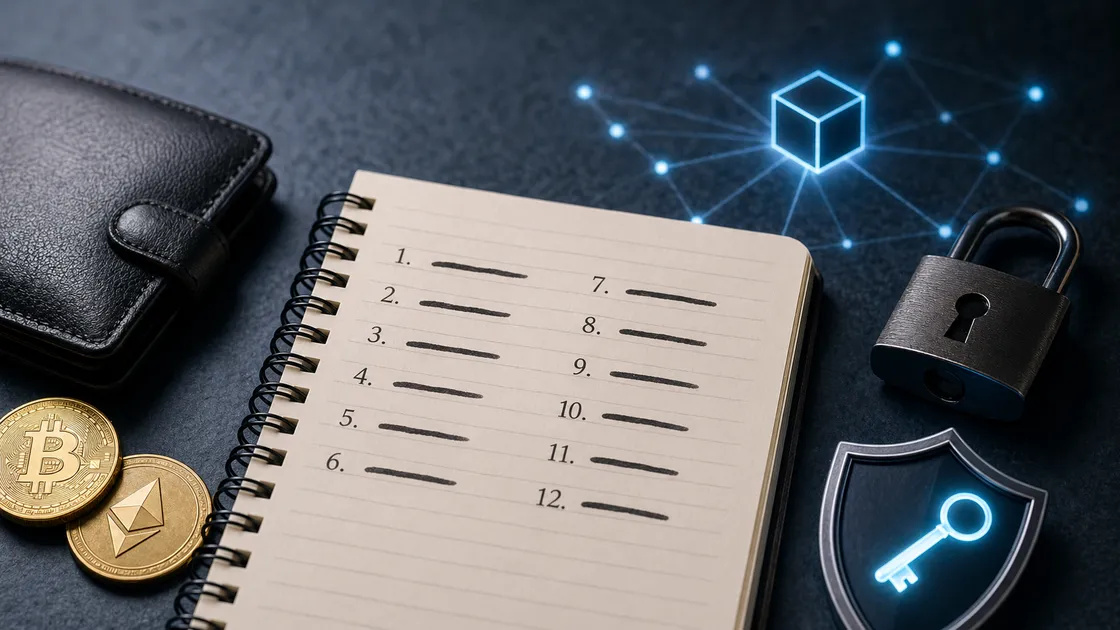
Besides hardware wallets, a paper wallet is another type of cold wallet. A paper wallet is a method of recording a private key and public address on paper and keeping them separate from any online environment.
Since it doesn't rely on a dedicated device, the mechanism may look simple. However, if you use an online environment while creating it, or save the private key as an image or file, this can create a risk of exposure. Paper itself is also vulnerable to water damage, fire, deterioration, and loss.
If you make or store a paper wallet incorrectly, you risk losing your assets. For a detailed explanation of how to create and store one, please see our separate article (related: How to Create a Paper Wallet (in Japanese)).
Precautions When Using a Cold Wallet
A cold wallet is a useful method for storing crypto assets over the long term. However, using it incorrectly can leave you unable to access your assets.
What matters most is how you manage your recovery phrase and private key, how carefully you verify transfers, and where you obtain your device. Below are some key precautions to keep in mind when using a cold wallet.
Never Share Your Recovery Phrase or Private Key with Anyone
Never share your recovery phrase or private key with a third party. If someone learns this information, they may be able to move your assets even if you still physically have the wallet device.
Be especially cautious of anyone claiming to be a support representative, an exchange employee, or someone from the wallet manufacturer. Legitimate support staff will not normally ask for your recovery phrase or private key, so handle this information with great care.
If you're asked to enter or share it via social media, email, phone, or chat, thoroughly verify the necessity of the request and the legitimacy of the person asking. While a recovery phrase or private key can sometimes be needed for wallet restoration or troubleshooting, you should avoid sharing it without first confirming you can trust the other party.
Don't Store Your Recovery Phrase on a Smartphone or in the Cloud
It's safer not to store your recovery phrase in a phone's notes app, as a photo or screenshot, in an email, in cloud storage, or as a file on a computer. These methods are convenient, but they carry a risk of leaking over the internet.
For example, if your smartphone becomes infected with malware, or if your cloud account is compromised, a recovery phrase stored there could be exposed to a third party. Even if you think of it as a place "only I can see," there is inherent risk the moment it exists online.
As a general rule, record it on an offline medium such as paper or a metal plate, and store it somewhere a third party cannot easily find it. If you plan to store it long-term, you should also consider protection against paper deterioration, fire, and water damage.
Always Double-Check the Sending Address and Network
When sending crypto assets, always double-check the sending address and network. If you only glance at part of the address, you may fail to notice a transfer mistake or an address that has been swapped.
The same asset can also be supported on multiple networks. Confirm that the network you selected at the sending exchange matches the network supported by the receiving wallet.
To prevent transfer mistakes, it's effective to avoid sending the full amount up front and instead send a small test amount first. There is a fee involved, but it's worth thinking of it as a verification step that reduces the risk of losing your entire holding.
Don't Store the Device and the Recovery Phrase in the Same Place
It's important to store your hardware wallet device and your recovery phrase in separate locations. If you keep them in the same drawer or safe, you risk losing both at once in the event of theft or a disaster.
If you lose only the device, you may still be able to restore your assets as long as the recovery phrase remains intact. However, if you lose both the device and the recovery phrase at the same time, recovery becomes extremely difficult.
In addition, if a third party obtains both the device and the recovery phrase, the risk of unauthorized access to your assets rises sharply. For this reason, it's important to store the device and the recovery phrase separately and manage each with care.
Avoid Secondhand or Pre-Configured Devices
Don't use a secondhand or already-configured hardware wallet. Even if it looks brand new, it's possible for the internals or accessories to have been tampered with.
Particularly dangerous are devices that already have a PIN code or recovery phrase set up. If you complete setup using a recovery phrase that a third party created in advance, there is a risk that your assets could later be drained.
To use a hardware wallet safely, you need to perform the initial setup yourself and record a recovery phrase newly generated on your own device. If anything seems even slightly suspicious, don't use that device — check with the manufacturer's official support instead.
If Your Cold Wallet Stops Working, You Can Restore It with Your Recovery Phrase

While using a cold wallet, you may encounter situations such as device failure, loss, app changes, or service discontinuation. Even in such cases, this doesn't necessarily mean your crypto assets themselves are gone.
The balance and transaction history of your crypto assets are recorded on the blockchain. A wallet is simply a tool for managing the key used to access those assets. So, as long as your recovery phrase or private key is still intact, you may be able to restore access using a different compatible wallet.
In practice, there have been recovery cases where a user could no longer log in after changing phones and the app disappeared, but because the recovery phrase had been kept safe, they were able to regain access to their assets using a different wallet (related: Copay Wallet Recovery Case Study (in Japanese)). There have also been cases where a wallet became inaccessible due to the app's service discontinuation, but the user was able to restore it using their recovery phrase (related: Alta Wallet Recovery Case Study (in Japanese)).
On the other hand, if you've lost your recovery phrase, restoration becomes extremely difficult. Not even the manufacturer, the exchange, or an expert can look up a user's recovery phrase on their behalf.
Setting up a cold wallet and sending funds to it isn't the end of the process. Consider the possibility that the device or app may stop working years down the line, and keep your recovery phrase stored safely so you can restore access whenever needed.
If You're Unsure How to Use a Cold Wallet, Consult a Professional

A cold wallet is one effective method for storing crypto assets over the long term. That said, there are aspects — such as storing your recovery phrase, verifying the sending address, and choosing the right network — that you must judge for yourself.
This calls for particular care when you're using a hardware wallet for the first time, or when you're moving a substantial amount of crypto assets. If you send funds while unsure about the process, you risk transferring your assets without noticing a mistake in the address or network.
Even if you're already unable to access your wallet, it may still be possible to restore it as long as your recovery phrase or private key remains intact. On the other hand, repeated incorrect actions can make the situation worse, so if you're unsure, it's best to consult a professional early.
If you have concerns about how to use or recover a cold wallet, please feel free to consult Clabo. We'll review your situation together and help determine whether you may be able to regain access to your crypto assets and what steps would be needed.
Summary
A cold wallet is a strong option for anyone who wants to manage their own crypto assets. That said, while it offers a high degree of security, the responsibility for managing it also falls on the user.
When using a hardware wallet, obtain a genuine device and complete initial setup through the official app. From there, the basic flow is to record your recovery phrase accurately, verify your address, and then send a small test amount before sending the full balance.
At the same time, using a cold wallet incorrectly can leave you unable to access your assets. It's essential to never share your recovery phrase or private key with anyone, avoid storing it on a smartphone or in the cloud, and always verify the sending address and network.
Before adopting this approach, make sure you fully understand how it works and the risks involved, and consider whether it's the right management method for you. Rather than rushing in, take the time to build a solid understanding of the basics and adopt it at a pace that works for you.
This article is for informational purposes only and does not constitute financial or investment advice. Please consult a qualified professional before making investment decisions.


